(Updated: 2014 July 26)
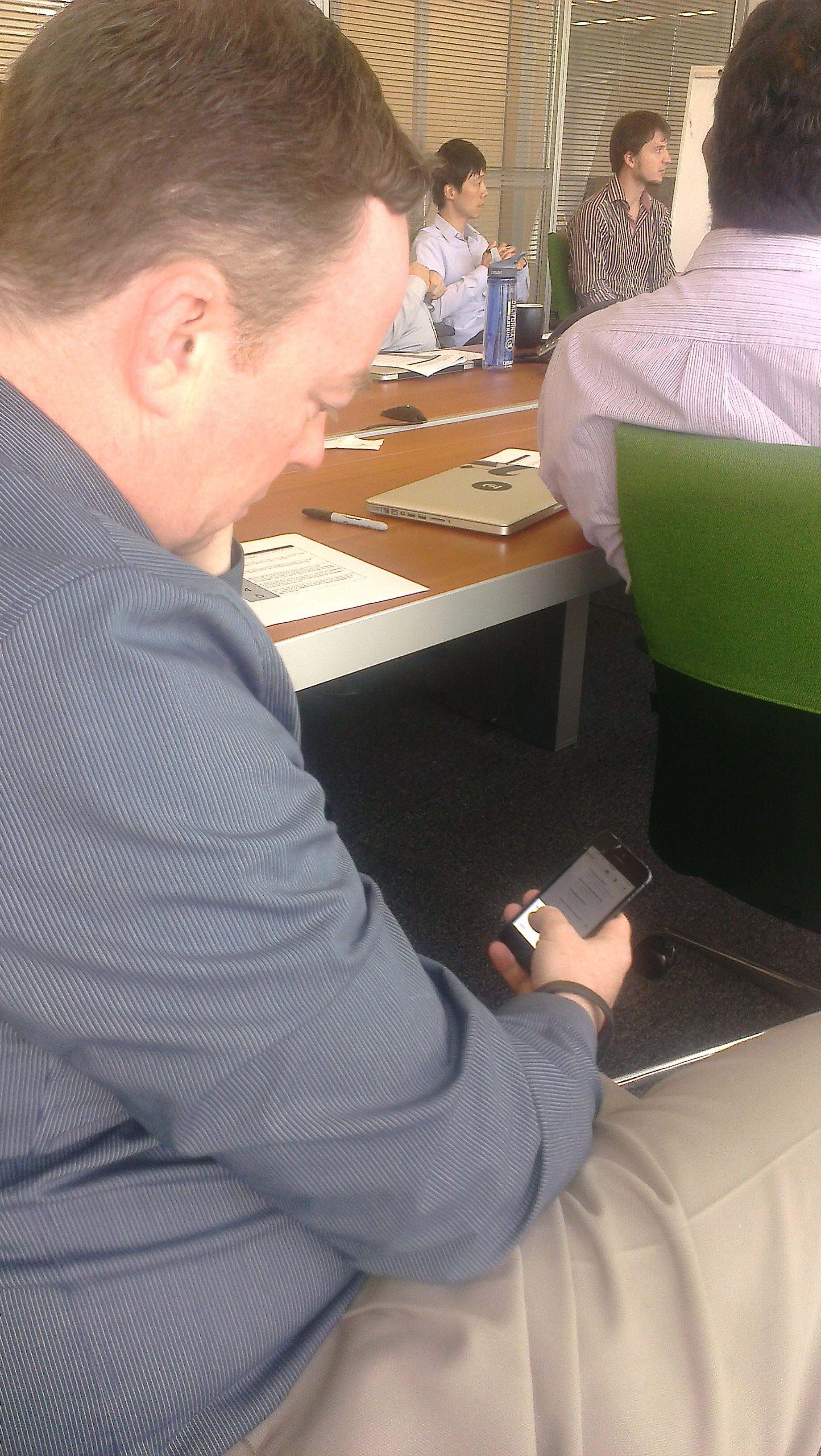
Photo credit: Brad Kagawa.
You might think nobody notices when you sneak a look at your phone below the table during a meeting. You would be wrong. It is like picking your nose: your being oblivious of others does not make you invisible to them.
Using a phone or laptop for unrelated work during an in-person meeting diminishes productivity and is disrespectful to others. Research on switching between tasks has found a measurable time cost.1 You also miss the people, discussion and subtleties around you.
I run and attend a lot of meetings. As CTO of The New York Times, I oversee an organization of hundreds of people, which means dozens of meetings every week. I have watched the device problem get worse year by year. People check their phones under the table. Others bring laptops and type away, ostensibly taking notes, but you can tell by the rhythm of their keystrokes and the flickering reflections in their glasses that they are reading email. The meeting suffers. The person suffers. Everyone knows it, and nobody says anything.
That silence is the real problem.
When devices make sense
There are a few situations where using a laptop or smartphone during a meeting is reasonable.
The most obvious: when you are the designated note-taker. Taking notes directly on a computer avoids retyping them later. Digital notes are searchable. Choose an app that saves as you type and lets you share the notes quickly afterward, and restrict access to the people who need them. Keeping notes digitally also reduces the paper you use. Paper notes pile up, cannot be easily searched, and can be left behind where someone without authorization might read them. One rule worth enforcing: there should be only one note-taker per meeting. If it is a negotiation between two sides, no more than one per side.
It also makes sense to use a device when you need to quickly look up something relevant to the discussion in progress, or to capture an action item in your task manager so you can return your full attention to the conversation. For someone using Getting Things Done (GTD) with a tool such as OmniFocus, that quick capture is part of the workflow. Sometimes, discreetly asking a question or sharing information via instant message is less disruptive than speaking up in a large group.
Tip: When you bring a laptop to a group meeting or one-on-one meeting, respectfully explain to the others beforehand that you will use it for taking notes and recording action items only. Make it clear that your attention is on the discussion and the laptop is simply your digital notepad.
When they don't
In most situations, the drawbacks far outweigh the benefits.
It comes across as disrespectful to some other attendees, especially those with traditional styles of working. The laptop screen creates a physical wall between you and the people sitting across from you. And the device makes it easy to drift into email or other online distractions. (A tablet like the iPad that lies flat on the table like a writing pad has less of this problem, since it does not create that visual barrier.)
Even a person using pen and paper can be distracted by doodling or daydreaming. A disciplined participant can use a device to contribute more actively to the meeting, but a connected device also makes it easy to drift into unrelated work.
Tip: At the start of your meeting, announce that anyone who needs to use a phone or laptop for something unrelated should step out of the room, handle it, and return when done. This gives attendees the freedom to handle something urgent without disrupting everyone else.
What I do
In my own meetings, I have found that the simplest intervention works best: name the problem openly. When people know that device use in meetings is noticed and discussed, the behavior changes. It does not require a policy document. It requires a culture where people respect each other's time enough to actually be present.
Provide a mobile phone charging area in your meeting rooms. It gives people a graceful reason to put their phone down and participate fully.
If you are in the meeting, give it your attention.
Original Google+ discussion about devices in meetings
Footnotes
-
Joshua S. Rubinstein, David E. Meyer and Jeffrey E. Evans, Executive Control of Cognitive Processes in Task Switching, 2001. The experiments measured switching-time costs while participants classified objects or solved arithmetic problems. The earlier article linked The High Cost of Multitasking infographic. ↩